Character Lighting Techniques Every Designer Should Know
Character lighting is the craft of revealing form, expression, material, and movement with enough control that the result can be repeated. The basic tools are simple: a key establishes direction, fill controls contrast, negative fill deepens selected shadows, rim light separates an edge, and bounce or diffusion changes softness. The quality comes from how those tools are placed and balanced for a particular character. A glossy animatronic eye, painted shell, silicone face, fabric costume, and metal prop cannot be treated as one surface. Nor can a setup be approved from a single front view if the character turns or the audience surrounds it. This guide covers the practical techniques designers use to shape light, place eye reflections, mix color temperatures, preserve facial readability, coordinate cues with motion, manage exposure, calibrate equipment, and document a maintainable setup. Start with one source and a clear purpose, then add only what solves a visible problem.
A: No. Inspect the craft up close, then judge the result at audience distance.
A: People add detail before proving the basic setup.
A: Yes. Wear, calibration, temperature, and handling can all shift it.
A: Use the signed-off version tested under final conditions.
A: No. Repeat the setup against the same baseline.
A: Make a stripped-down study and review it from the real audience position.
A: Only after it succeeds in two matching tests.
A: It should strengthen the main idea, not pull attention away from it.
A: Use the least amount that remains clear at audience distance.
A: Check transitions, side views, extreme ranges, and changing light.
Establish the Key Light
The key light sets the main direction and defines the dominant shadow pattern. Place it according to the environment and the character’s most important features. Adjust height and side angle before changing color or adding other fixtures.
Watch the eyes, nose, mouth, hands, and costume planes as you move the source. A beautiful cheek shadow may hide the gaze. Mark the chosen position and photograph the result so later changes can be compared with a real baseline. Use a stand-in at the correct height during early focus. A source aimed at an empty stage often requires major correction once the character occupies the space.
Control Contrast With Fill
Fill raises information in the shadows without creating a second obvious direction. Start with none, then add the smallest amount needed to read important features. Large bounced fill usually feels more natural than a small frontal lamp. Judge fill from the audience position and on the intended camera if one is used. Automatic exposure can disguise crushed shadows. Keep the key-to-fill relationship consistent across cues unless the story calls for a contrast change. Turn the fill off during reviews to remember what it contributes. Gradual increases are easy to overlook and can quietly flatten a setup over several revisions.
Use Negative Fill
Negative fill places dark material near the character to absorb stray light and restore shape. It is useful in bright rooms, white studios, or sets where reflections flatten one side of the face. Black cloth, flags, and dark scenery can all serve this purpose.
Move the absorber close enough to matter without entering sightlines or restricting motion. Check glossy surfaces for an unnaturally large black reflection. Negative fill should sculpt, not create a visible void on the material. Secure black cloth so airflow and nearby moving parts cannot pull it into the performance area. A temporary solution must still meet normal safety requirements.
Create Separation With Rim Light
Rim or edge light helps a contour stand apart from a similar background. Aim it across selected shoulders, hair, ears, or costume edges rather than tracing the whole figure. A narrow controlled rim preserves depth better than an even glowing outline.
Flag spill from the face and lens. Check all audience angles because a hidden fixture can become a direct glare source off center. Lower intensity if the rim attracts attention before the eyes.
Test the rim with haze both on and off. Airborne atmosphere can reveal the beam itself and turn a subtle separator into a bright visible cone.
Bounce Light for Broad Softness
Aim a fixture at a white or neutral surface to create a larger, softer apparent source. Bounce light wraps around forms and can provide gentle key or fill illumination without sharp multiple shadows. The bounce surface affects both color and efficiency. Keep it clean and stable. A colored wall or aging foam board can shift skin tone, while a flexible reflector may change angle during operation. Record the surface material and position as part of the setup. White, silver, and unfinished fabric produce different results. Compare them on the character rather than assuming the brightest bounce will be the most useful.
Diffuse Hard Sources
Diffusion placed in front of a light enlarges and scatters the source, softening shadow edges and smoothing reflections. The closer the diffusion is to the character and the larger it appears, the softer the result tends to be.
Allow safe distance from hot fixtures and secure frames against movement. Diffusion reduces output, so rebalance exposure rather than removing all control. Different fabrics and plastics can introduce color shifts that should be measured or visually checked. Label diffusion by type instead of appearance alone. Two nearly identical sheets may have different transmission, spread, heat tolerance, or color behavior.
Shape Light With Flags and Cutters
Flags block spill; cutters create precise edges; barn doors provide a rough first control. Use them to keep light off backgrounds, mechanisms, lenses, and surfaces that should remain quiet. Shape one problem area at a time. Check the shadow cast by the flag from every relevant position. A cutter placed too close may create a hard distracting line across a moving face. Label floor and stand positions once the shape is approved. Use safety cables and leave access to controls. Precise focus is not useful if a technician must disturb several other fixtures to make a routine adjustment.
Use Gobos for Environmental Pattern
A gobo breaks light into a recognizable pattern such as foliage, windows, machinery, or water reflection.
Keep the pattern subordinate to the character. Large soft shapes usually integrate better than a sharp busy projection across facial features.
Focus and scale the gobo at the actual throw distance. If the character moves, test how the pattern slides over the form. Avoid creating false eyes, seams, or expressions with high-contrast shapes.
Add Practical Lights Carefully
Practical lights are visible sources within the scene or character. They can motivate illumination and strengthen story, but their apparent brightness may exceed the light they contribute. Treat them as both scenery and fixtures. Dim, diffuse, or shield exposed lamps so viewers can still see the character. Internal lights need heat management, service access, and cable routing. Check whether their glow leaks through thin materials or reveals construction.
Place Catchlights for Eye Direction
Catchlights give the eyes moisture, depth, and a readable orientation. Position the reflection so it supports the key direction and remains visible through normal gaze and lid movement. A single coherent highlight is often enough.
Multiple sources can create a confusing cluster in glossy eyes. Flag or reposition unnecessary reflections. For large physical eyes, inspect each audience angle because curved surfaces move the highlight dramatically. Clean the eye surface before matching catchlights. Fingerprints and dust spread reflections and can make a correct source appear too large or soft.
Mix Color Temperatures Intentionally
Warm and cool sources can separate planes, suggest different environments, or direct attention. Choose which source feels primary and keep the other in a supporting role. Neutral adaptation makes relative differences more important than a color name. Test on actual paint, skin, fabric, and camera sensors. Some pigments shift or lose saturation under narrow-spectrum LEDs. Avoid mixing colors merely because separate fixtures are available.
Light Different Materials Differently
Soft matte materials show form through broad value transitions.
Glossy materials need controlled reflection shapes; metal reflects the surrounding environment; translucent materials glow when light enters their edge or back. Place sources for the material response you want.
One character may require separate adjustments for face, costume, eyes, and props. Solve them with angle, size, flags, and roughness before multiplying fixtures. Watch for highlights that reveal seams or surface defects.
Reveal Texture With Raking Light
Light traveling nearly parallel to a surface casts small shadows from relief, making wrinkles, carving, fabric, and weathering visible. Move the source around the form to find the direction that supports its structure. Use raking light sparingly on faces and flexible skins. It can exaggerate pores, mold seams, and repair edges. Combine it with broad fill when texture needs presence without becoming harsh.
Preserve Facial Readability
Run expression tests under the finished setup. Neutral, speech, smile, concern, blink, and head turns reveal where shadows or glare erase performance. Keep the gaze and mouth readable at story-critical moments.
Small localized bounce may solve a lost eye or lip without flattening the whole face. Check teeth, eye shells, and wet finishes for bright flashes. Facial light should support acting rather than become a fixed beauty mask.
Coordinate Lighting With Movement
Map the character’s travel and rotation through every cue. A head can leave the key, block its own rim, or send a reflection into the audience. Film rehearsals from several seats and note the exact motion positions where the read changes. Use broader sources, carefully timed cues, or limited tracking when necessary. Avoid rapid corrections that make the light appear disconnected from the environment. Movement and lighting should share the same dramatic beat.
Manage Exposure and Dynamic Range
Identify the brightest practical, deepest required shadow, and most important midtone. Set intensity so all three remain usable for the audience or camera. Clipped highlights on eyes and metal can be as damaging as lost shadow detail.
Measure when repeatability matters, but also judge adaptation and surrounding brightness. A display in a dark room feels different after viewers pass through a bright lobby. Test the complete transition into the scene.
Check emergency and work-light states if they can appear during public operation. Unexpected ambient light may expose mechanisms or destroy carefully planned contrast.
Calibrate Fixtures and Color
Fixtures of the same model can differ with age, temperature, optics, and firmware. Match output and color using a meter, camera reference, or visual comparison on a neutral target. Replace or compensate for outliers. Record dimmer curves, white-point settings, lens choices, and control addresses. Recalibrate after lamp replacement, software updates, or major maintenance. Consistency protects both material color and cue timing.
Document and Maintain the Setup
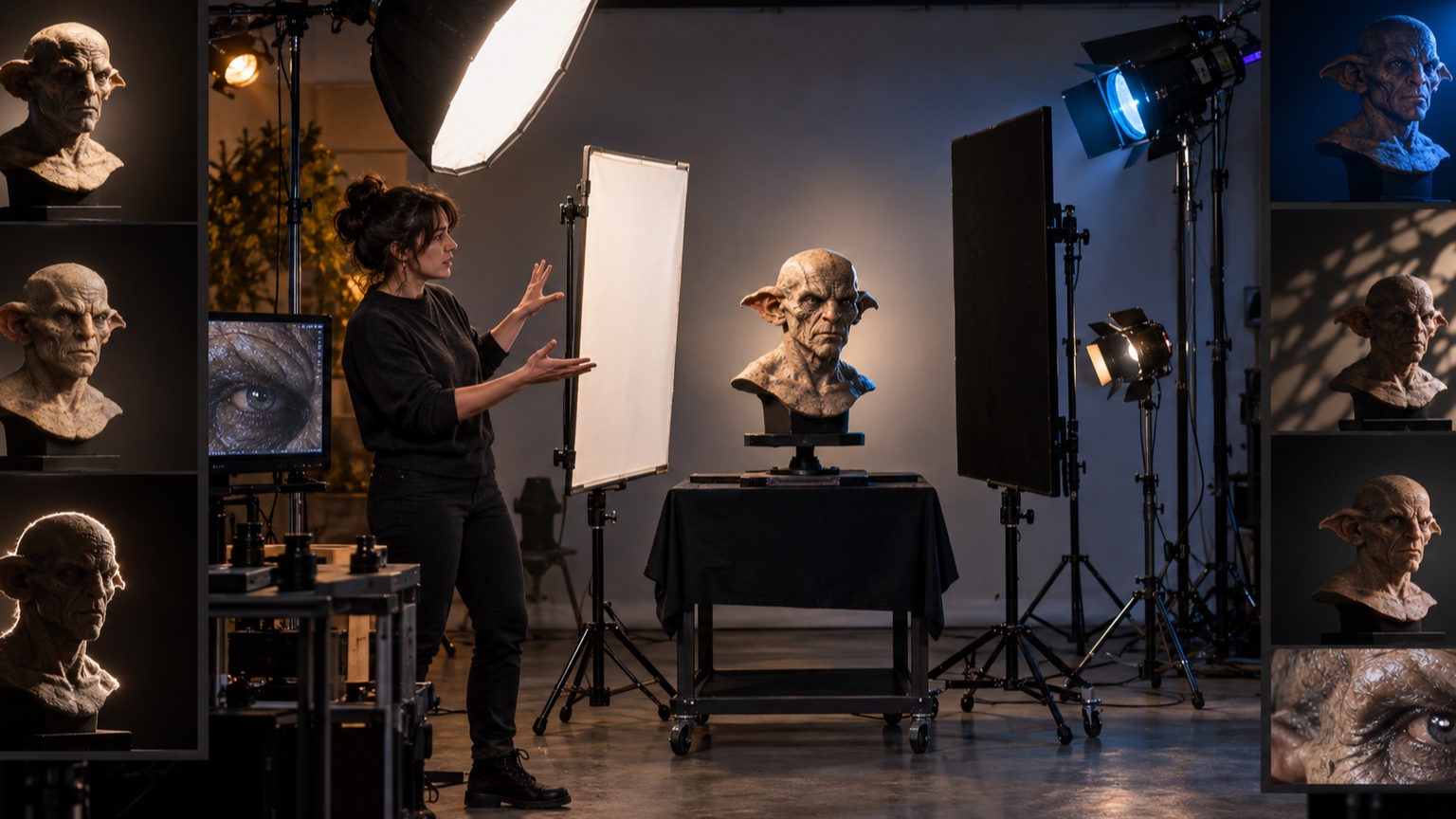
Save a plot with fixture type, position, height, angle, focus, accessories, intensity, color, and control information. Add photographs from standard audience views and close images of important shutter cuts or catchlights.
Create a short focus and maintenance checklist. Dust, shifted stands, replaced diffusion, and altered scenery can change the look before a fixture technically fails. Clear documentation lets another technician restore the approved result without redesigning it. Schedule reference photographs after maintenance and compare them with the original at matched exposure. Small drifts are much easier to correct before the audience notices a changed face. Keep a troubleshooting order with the plot: confirm the character’s neutral pose, clean optical surfaces, verify fixture position, restore focus and accessories, check control values, and only then alter intensity or color. This sequence prevents a shifted stand or dirty eye shell from being “fixed” with a new cue value. After correction, run the standard facial and movement test from the marked audience views. Update documentation only when the approved look genuinely changes. A disciplined maintenance process protects the original lighting relationships and reduces the gradual accumulation of small compensations that can make a once-clear setup flat, harsh, or inconsistent.