How to Create Motion Illusions in Graphic Design
A graphic can feel fast, unstable, suspended, or about to change even though every mark is fixed. That sensation comes from visual evidence the viewer already associates with movement: a body leaning away from balance, forms repeating along a path, edges stretching under force, objects disappearing beyond the crop, and intervals that tighten or widen like animation spacing. Effective motion graphics do not scatter these devices across the page at random. They choose a direction, establish something stable to measure against, and let a few cues reinforce the same event. This approach works in posters, editorial illustration, packaging, social images, titles, and environmental graphics. It also keeps the design readable when it is resized or stripped of animation. The sections below move from the initial motion idea through composition, repetition, scale, cropping, distortion, typography, color, accessibility, and delivery. Each technique should earn its place by helping the viewer understand what is moving, where it is going, and how much energy it carries.
A: Yes. Scale, light, background, and viewing angle can change the result.
A: It should succeed repeatedly under final conditions.
A: No. Inspect the craft up close, then judge the result at audience distance.
A: People add detail before proving the basic setup.
A: Yes. Wear, calibration, temperature, and handling can all shift it.
A: Use the signed-off version tested under final conditions.
A: No. Repeat the setup against the same baseline.
A: Make a stripped-down study and review it from the real audience position.
A: Only after it succeeds in two matching tests.
A: It should strengthen the main idea, not pull attention away from it.
Define the Direction and Energy
Write the motion in ordinary language before opening the design software. “The figure lunges upward,” “the letters drift apart,” and “the product cuts diagonally through the frame” lead to different shapes and spacing. Add an energy word such as heavy, frantic, smooth, or reluctant to describe how the action happens.
Draw an arrow for the dominant path and a second mark for any opposing force. Gravity, drag, impact, or resistance can give the composition tension. If the design needs several unrelated arrows to explain it, the concept is probably trying to show too much at once. Keep that description beside the canvas during early revisions. It gives you a quick way to reject attractive effects that imply the wrong speed or direction.
Build a Directional Composition
Arrange large shapes so the eye enters, travels, and arrives. Diagonals create immediate momentum, but curves, stair-step alignments, and changes in density can guide movement just as strongly. The destination should receive enough contrast or space to feel intentional. Include a counterweight. A small stable shape near the origin can make a large moving form feel as if it has left something behind. Empty space ahead of the subject suggests room to continue, while a tight edge ahead of it creates pressure or an imminent collision. Thumbnail the composition at postage-stamp size. If the path vanishes when details disappear, strengthen the large directional masses before refining any individual object.
Repeat Forms to Show Progression
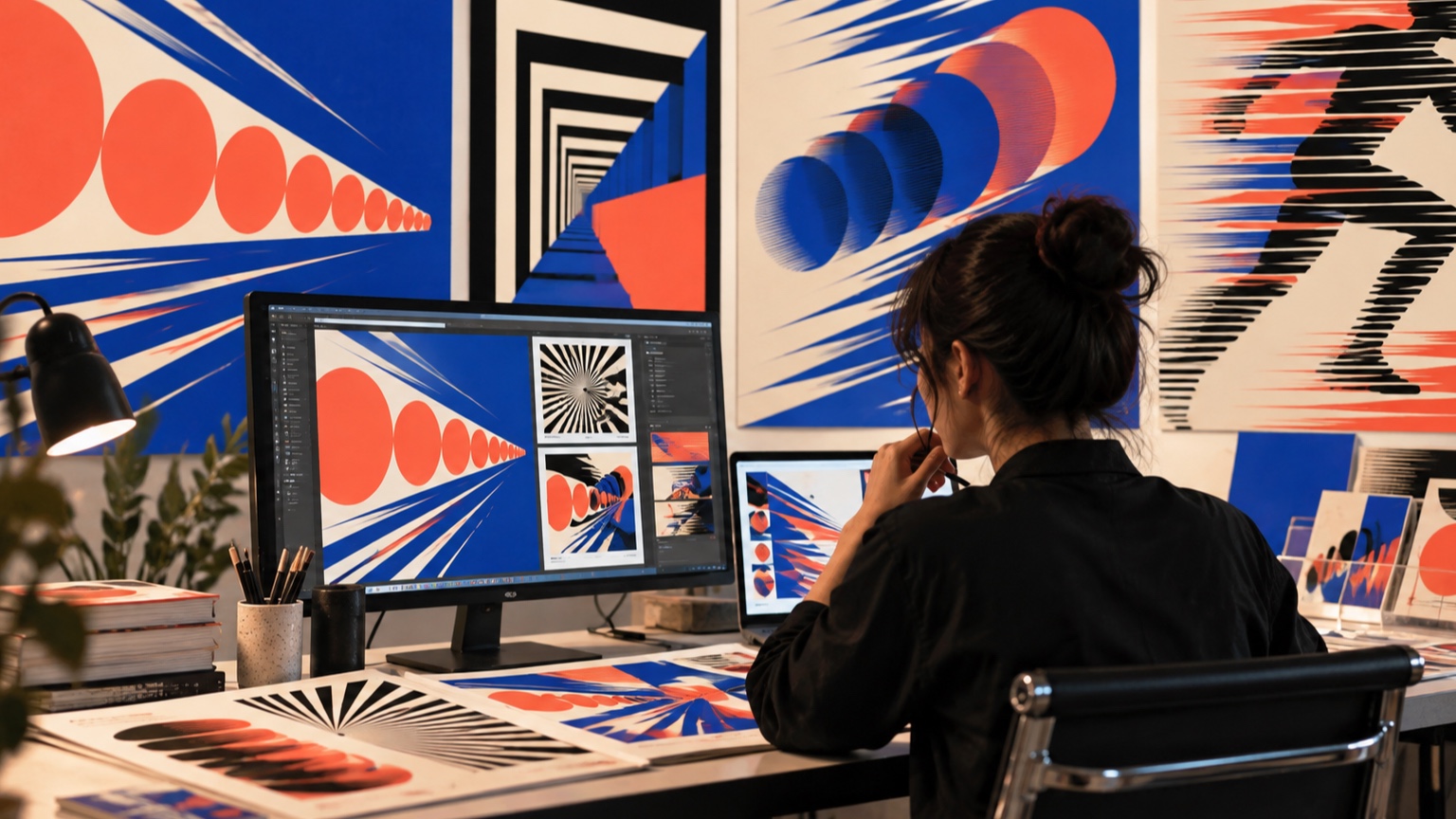
Repeated silhouettes or fragments can describe where an object has been. Keep one version dominant and let the others become lighter, simpler, or more transparent so they read as a trail rather than a crowd. Their intervals determine whether the motion feels steady or accelerated.
Repetition also works at a smaller scale. A series of angled marks, displaced shadows, or echoed letterforms can carry the same direction through the layout. Avoid repeating every detail; selective echoes preserve the subject while preventing visual mud.
Vary opacity with intent. Fading toward the origin usually reads as a trace of past positions, while fading toward the destination can make the subject seem to dissolve or lose momentum.
Change Scale to Suggest Approach
Forms that grow along a path appear to move toward the viewer, while shrinking forms seem to recede. The change must be consistent with perspective. An object that grows without shifting its overlap, detail, or edge quality may look merely inconsistent. Use a stable object as a comparison when depth is important. A fixed horizon, frame, or neighboring shape helps the viewer measure the scale change. Large jumps feel rapid and dramatic; gradual growth creates a slower approach. Perspective affects internal detail too. Features on the approaching form should separate and become easier to see instead of scaling as a flat symbol with no change in depth.
Use Cropping to Extend Action
Cropping implies that the world continues beyond the page. Letting part of a wheel, limb, or word leave the frame can make the subject feel too energetic to be contained. Crop decisively at broad forms rather than clipping tiny tips, which often looks accidental.
Consider both entry and exit. More empty space in front of a moving subject suggests anticipation, while more space behind it emphasizes departure. Test alternate aspect ratios early because a crop that creates energy in a poster may become awkward in a square social image. Protect identifying features when cropping figures or products. Cutting through an unimportant broad area is usually cleaner than clipping a face, hand, logo shape, or working joint.
Distort Shapes Under Force
Compression, stretch, bend, and skew can show the effect of movement on a form. Apply the distortion along a believable force direction and preserve the features needed for recognition. A tire may flatten at contact, a coat may trail behind a turn, and a rigid package may remain straight while its surrounding graphics shear. Different materials respond differently. Rubber deforms broadly, fabric folds and lags, metal stays rigid until impact exceeds its strength. When every object stretches the same way, the image loses material credibility. Before distorting a finished illustration, save an undistorted construction layer. It will help you preserve proportions and restore landmarks that become unclear during experimentation.
Apply Blur With a Specific Logic
Blur should explain speed or focus, not cover an uncertain drawing. A directional blur behind the subject can imply travel, while radial blur supports rotation or movement toward the lens. Keep at least one important edge sharp so the viewer has a place to focus.
Match the blur to the path. Straight horizontal streaks attached to a curving object create conflicting evidence. Small designs often need less blur than large ones because soft edges disappear quickly after reduction. Always check the final output size.
Avoid blurring text that must be read. A displaced echo or sharply cropped extension can connect typography to the motion without sacrificing letter recognition.
Create Rhythm Through Spacing
Intervals act like beats. Equal spacing feels measured; gradually widening gaps suggest acceleration; tight clusters interrupted by a large gap create a pause and release. Apply the rhythm to alignments, repeated shapes, rules, or blocks of text. Do not distribute accents evenly by habit. Place them where the imagined action changes. A quiet area before a dense burst can make the burst feel faster, even though nothing physically moves.
Separate Moving and Stable References
Motion becomes easier to perceive when something else appears fixed. A tilted figure feels more dynamic against a level horizon, and distorted type feels active beside a stable caption. Without that reference, the entire page may simply appear rotated or poorly aligned.
Choose which layer owns stability. It might be the grid, border, background texture, or a small piece of information. Keep that layer restrained; if it begins using the same slants and trails as the moving subject, the contrast disappears.
Layer Depth With Overlap and Contrast
Overlap establishes which forms sit in front, while contrast and edge sharpness suggest distance. Foreground shapes can be darker, larger, and more sharply cropped. Distant elements may lose contrast and detail, especially in an atmospheric scene. Use those differences to create motion through space. A subject crossing in front of several layers feels as though it travels farther than one isolated against a flat field. Check that overlaps do not hide key landmarks or turn the silhouette into an unreadable knot.
Make Typography Participate
Type can move with the image instead of sitting on top of it.
A headline may follow the main curve, stretch at the leading edge, compress near an impact, or break into a repeated cadence. Preserve recognizable word shapes and reading order while introducing the effect.
Keep essential details—dates, instructions, and accessibility information—more stable than expressive display type. A motion idea that makes the headline exciting can make small copy exhausting. Separate performance from information.
Use Color to Direct the Eye
A warm accent moving through a cooler field can trace a path without repeated outlines. Gradual hue or value changes may suggest progress, while a sudden color break marks impact or arrival. Color works best when the contrast hierarchy is already sound. Check the design in grayscale and with color-vision simulations. If motion depends entirely on a red-green difference of similar value, some viewers will not see the sequence. Shape, spacing, and luminance should carry the essential direction.
Design Motion Without Visual Clutter
Choose two or three motion cues and make them agree. A diagonal pose, widening repetition, and open space ahead may be enough. Adding blur, particles, speed lines, skewed type, and multiple color trails can bury the subject under evidence.
Temporarily remove each effect and ask what information is lost. If the answer is nothing, leave it out. Quiet areas are not wasted space; they give the eye enough stability to recognize movement elsewhere.
Adapt the Illusion Across Formats
A wide banner, vertical poster, square tile, and phone screen offer different travel distances. Recompose the path for each format instead of simply shrinking and cropping the master file. Preserve the action’s origin, direction, and destination even when their positions change. Create a small set of rules: which element must remain sharp, how much empty space belongs ahead of the subject, and which repeated marks may be removed. These rules maintain the motion idea more reliably than fixed coordinates.
Consider Accessibility and Comfort
Static designs can still create visual strain through dense stripes, high-contrast vibration, or large fields of implied rotation.
Reduce the intensity of patterns that shimmer at normal viewing distance. Avoid making essential text compete with aggressive optical movement.
Provide a calmer alternative when graphics will be viewed for long periods or at large scale. Motion can remain clear through silhouette and direction without relying on visual vibration. Comfort is part of communication, not a separate decorative preference.
Test Recognition Before Decoration
Show the simplest version to someone who has not heard the concept. Ask what is moving, in which direction, and whether it feels fast, heavy, smooth, or abrupt. Those answers reveal whether the underlying structure works. Delay texture and finishing effects until the action is understood. Decorative detail can make an image impressive while masking a weak path. Once the basic read succeeds, add polish in small steps and repeat the same questions.
Refine With Controlled Variations
Create versions that change one factor at a time: tighter repetition, a steeper diagonal, less blur, a larger destination shape. Put the results side by side at final size. This is faster and more informative than making one complicated revision after another.
Keep the baseline visible while working. Designers quickly adapt to exaggerated effects and may continue pushing them because the latest version feels normal. Comparison restores perspective and often shows that a restrained option has more impact.
Deliver Reusable Design Rules
Package the artwork with clear guidance for future formats. Record the dominant direction, protected clear space, crop behavior, type treatment, color hierarchy, and any minimum size for repeated detail. Include approved examples in several aspect ratios. Also show one or two unacceptable uses, such as reversing the trail or placing stable text on the motion angle. A short visual rule set helps other designers preserve the intended energy without copying one layout mechanically.